Quick answer
Apple Pay has only limited use in mainland China as of 2026: in-store contactless payments route through the UnionPay network, so it works dependably with China-issued UnionPay cards, while foreign-issued cards are accepted only at a small number of international hotels, airports, and tourist-facing stores. This guide explains exactly where Apple Pay works for foreign travelers, what it costs, and how to pair it with Alipay or WeChat Pay tourist mode so you are never stuck at a counter. I have relied on this combination on multiple trips to Shanghai and Beijing since 2024 and updated the steps for 2026.
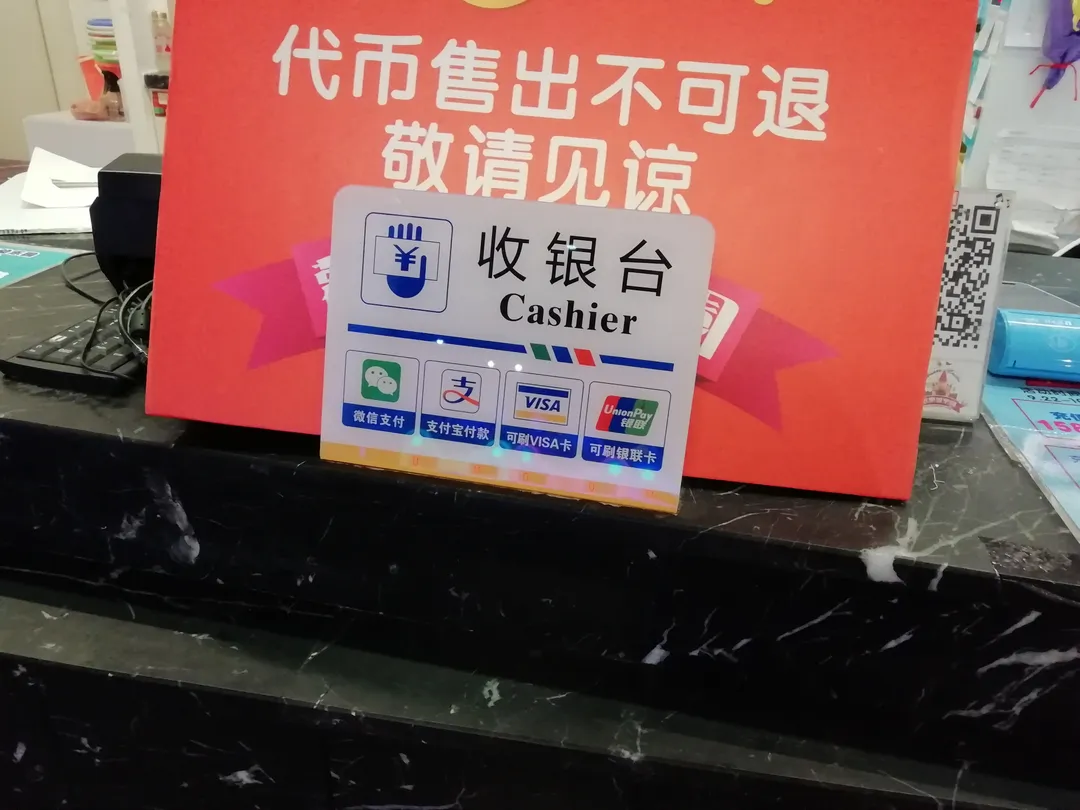
Why this matters in 2026
Mainstream mobile payments in China are processed through two apps: Alipay (支付宝) and WeChat Pay (微信支付), which together handle roughly 90% of in-person retail transactions in tier-1 cities. Apple Pay sits outside this QR-code ecosystem: most mainland merchant terminals do not accept it, so travelers who rely on Apple Pay alone usually end up falling back to cash, which is accepted in fewer than 40% of urban merchants today. Knowing where Apple Pay does work — and setting up Alipay or WeChat Pay as the everyday default — removes a daily friction point and lets you book trains, taxis, food delivery, and even bike rentals with one QR scan.
Key facts at a glance
- Where it works: in-store NFC terminals on the UnionPay network; QR-code merchants (the majority in China) do not accept Apple Pay
- Card support: China-issued UnionPay cards work reliably; foreign-issued Visa, Mastercard, and JCB can be added to Wallet, but mainland acceptance is very limited
- Hong Kong: Apple Pay works normally with foreign Visa/Mastercard, which is useful if your trip includes Hong Kong
- Setup time: 5–10 minutes to add a card in Wallet, subject to your issuing bank's verification
- Fees: Apple charges nothing; your card's normal FX and cross-border fees apply
Step-by-step walkthrough
Step 1: Confirm your card works with Apple Pay
Apple Pay requires a card from a bank that supports provisioning into Apple Wallet. China-issued UnionPay cards add smoothly; many foreign banks let you add Visa or Mastercard, but remember that mainland terminals rarely accept them. Check your bank's Apple Pay support page before departure.
Step 2: Add the card in Wallet
Open the Wallet app, tap Add Card, and scan or enter your card details. There is no separate download: Apple Pay ships with iOS, and there is no Android or APK version.
Step 3: Verify with your bank
Your issuing bank approves the card, usually through its own app or an SMS code — typically within minutes, but it can take up to 24 hours during holidays. Apple does not run this check; the bank does.
Step 4: Set your default card and Express Transit
In Settings > Wallet & Apple Pay, arrange the card order, and if you hold a China T-Union transit card, enable Express Transit so subway gates work without authentication. Transit-card top-ups generally require a Chinese UnionPay card.
Step 5: Learn the payment gesture
Double-click the side button (or rest your finger on the Home button on older models), authenticate with Face ID or Touch ID, and hold the phone near the terminal until you see the checkmark and hear the terminal beep.
Step 6: Run a small test payment
Before relying on it, test at a contactless terminal — some airport convenience stores and hotel counters accept foreign-card Apple Pay. If the counter only shows a QR code, Apple Pay will not work; pay with Alipay or WeChat Pay instead.
Common scenarios and use cases
1. Paying at convenience stores
Most chain convenience stores (FamilyMart, 7-Eleven, Lawson) in the mainland are built around Alipay and WeChat Pay QR codes and often lack contactless terminals that take foreign cards. Where an NFC terminal exists, Apple Pay confirms in 1–2 seconds.
2. Splitting the bill at restaurants
Restaurants are QR-first: scan the merchant code or pay table-side in Alipay or WeChat Pay. Apple Pay is rarely an option outside hotel restaurants. Tipping is not customary in China; the payment apps let you add a tip but most locals leave it at zero.
3. Booking high-speed rail tickets
The official 12306 app and station counters accept Alipay, WeChat Pay, and Chinese bank cards — not foreign-card Apple Pay. Book through Trip.com, which accepts foreign cards directly, or pay in 12306 with Alipay tourist mode.
4. Paying for taxis and Didi
Street taxis and Didi run on QR payments (Alipay and WeChat Pay inside Didi's app and mini-programs). Ask the driver to show their QR code and scan it; Apple Pay is not accepted in taxis.
Costs and pricing breakdown
- Apple Pay service: free — Apple charges no setup or per-transaction fee
- Card FX / cross-border fees: your issuing bank's normal rates, typically 1.5–2.5% above the mid-market rate
- ATM cash-out: not available through Apple Pay; use a bank card or an app-based cash-out where supported
- Refunds: handled by the merchant and your card issuer, typically 3–10 business days
Pitfalls to avoid
- Assuming foreign-card Apple Pay works everywhere: most mainland terminals are QR-code or UnionPay-only — carry Alipay or WeChat Pay as the default.
- Adding a card at the last minute: bank verification can take up to 24 hours; provision cards before you fly.
- Relying on it for QR-only vendors: street food, markets, and small shops use printed QR codes — Apple Pay cannot scan-to-pay.
- Forgetting authentication: every payment needs Face ID, Touch ID, or a passcode — keep a device passcode set or payments will be declined.
- Ignoring card region: a card keeps its issuing region's acceptance rules in Wallet; a China UnionPay card behaves very differently from a US or EU Visa card in the mainland.
Alternatives and trade-offs
- Alipay (tourist mode): the single most useful payment app for foreign travelers; accepts foreign Visa, Mastercard, and JCB after passport verification.
- WeChat Pay: similar coverage; slightly longer foreign-card onboarding, but essential for mini-programs.
- UnionPay cards: accepted almost everywhere in the mainland; good backup if app payments fail.
- Cash (CNY): still accepted at hotels, airports, and many restaurants in tier-1 cities, but not at smaller merchants.
Local context and customs
Mobile payments are a daily norm in China, used by everyone from university students to retirees — but the norm is QR codes, not NFC tap-to-pay. When you scan a merchant's QR code, the merchant's phone makes a sound and shows the amount on their screen; this is the standard confirmation. Apple Pay's tap gesture works only where a UnionPay contactless terminal exists, which in practice means international hotels, airports, and a handful of tourist-facing stores. Always double-check the amount before confirming, as the payee name on the confirmation screen is the legal record of the transaction.
Verifying current information
Policies and acceptance change frequently. Before your trip, confirm the current rules through these official channels:
- Apple — Apple Pay participating banks and countries: https://www.apple.com/apple-pay/
- Apple Support (card provisioning and Wallet issues): https://support.apple.com/apple-pay
- Your card issuer: acceptance in mainland China, plus FX and cross-border fee schedule
- People's Bank of China (PBOC): http://www.pbc.gov.cn for payment-market policy updates
- Alipay and WeChat Pay help centers: https://www.alipay.com and https://pay.weixin.qq.com for the fallback rails
Putting it all together
In my experience, the most common failure is treating Apple Pay as a day-to-day payment method in the mainland: outside UnionPay contactless terminals it simply does not fire. Set up Alipay (and optionally WeChat Pay) with your foreign card before you fly, keep Apple Pay provisioned for the places that do take it, and run one small test payment with each. For trips longer than 14 days, enable auto top-up on your Alipay tourist-mode account so you are not reloading it each morning. If your itinerary includes Hong Kong, use Apple Pay there freely — foreign cards work at mainstream retailers and transit gates.
FAQ
Does Apple Pay work in mainland China?
Yes, but narrowly: it works at NFC terminals on the UnionPay network, which foreign-issued cards rarely get to use. Treat it as a backup, not a default.
Can I add a foreign card for a China trip?
You can add most Visa and Mastercard to Wallet, but mainland acceptance is limited to a small number of international hotels, airports, and tourist-facing stores.
What is the maximum per-transaction limit?
Apple sets no limit; your issuing bank's card limits apply. UnionPay terminals may prompt for PIN on larger amounts.
Are there any daily or monthly limits?
Only those your bank sets for the underlying card. China UnionPay cards follow the bank's own risk rules.
Do I still need Alipay or WeChat Pay?
Yes. QR payments dominate — for street vendors, taxis, trains, and most restaurants you need Alipay tourist mode or WeChat Pay with a linked foreign card.
Can I get a refund if I am overcharged?
Ask the merchant first; if that fails, raise a dispute through your issuing bank. Settlement typically takes 3–10 business days.
Is it safe to use on public Wi-Fi?
Apple Pay transactions use tokenization and device-bound cryptography, and authentication happens on-device, so public Wi-Fi is acceptable. Protect your Alipay and WeChat Pay logins instead.
Can I send money to friends?
No. Apple Pay in China has no peer-to-peer transfer feature (Apple Cash is US-only). Use WeChat Pay or Alipay to split bills.
What happens if I lose my phone?
Mark the device as lost in Find My (iCloud) — cards are suspended immediately — or call your bank to freeze the underlying card. You can restore cards to a replacement iPhone from iCloud.